 . From the maximized view, you can filter the data shown in the chart,or generate the chart as a report. See Key Performance Indicator Chart Title Bar Icons.
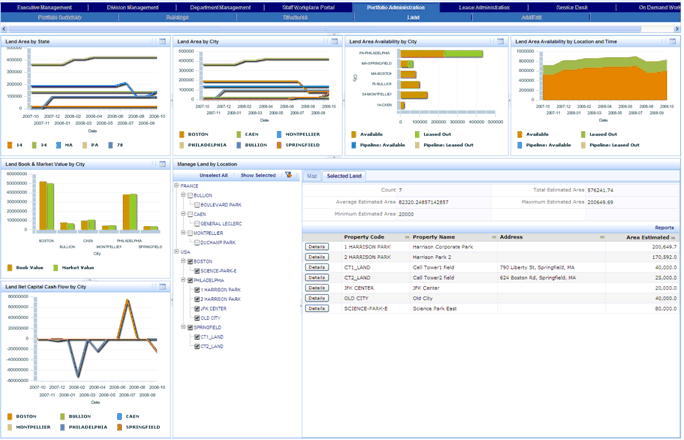
The Land Dashboard provides a comprehensive view of your land. This dashboard includes:
Note: If you are using the ARCHIBUS Enhanced Global Feature Set, the Portfolio Management cost fields are shown using your User Default Currency. These cost fields do not include the VAT amount, as these reports and charts are used for internal analysis for which VAT is not relevant. Area fields are shown using the User Display Unit of Measure field (Metric or Imperial) entered in your User Profile.
From the dashboard, you can maximize the view for a chart by clicking the Maximize button . From the maximized view, you can filter the data shown in the chart,or generate the chart as a report. See Key Performance Indicator Chart Title Bar Icons.
The following image shows the Land Dashboard with the Selected Land view selected:
See Also
Selecting and Filtering Portfolio Items